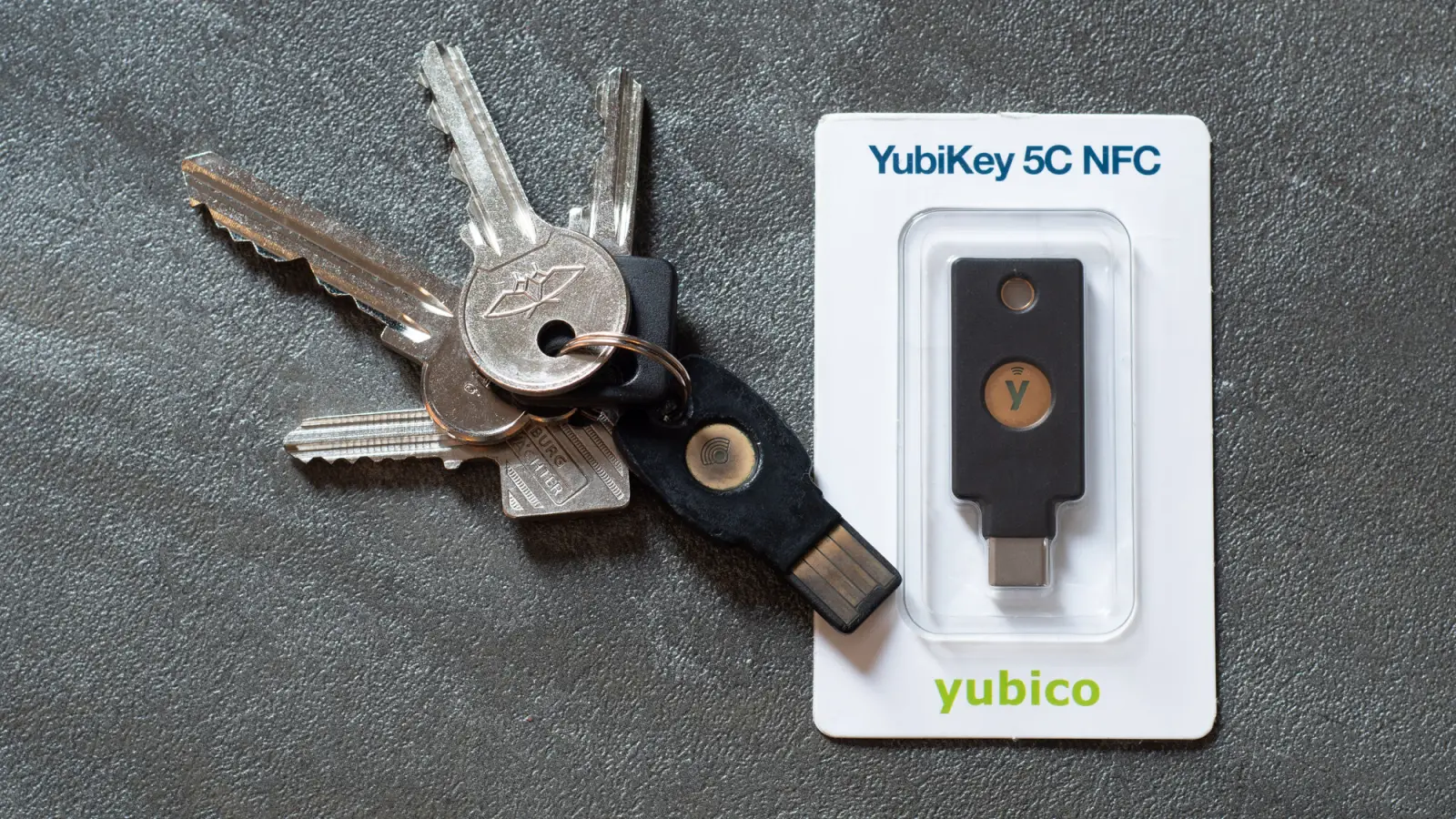
This week two YubiKey 5C NFC keys were delivered to me. I’d been circling this thing for a long time and finally went for it. Below: what it is and why you need it.
What it is
Put very simply, a YubiKey is like a door key — only for your accounts.
It looks like a flash drive: you plug it into a laptop or tap it against a phone (if the phone has NFC) to confirm a sign-in.
An example: you sign in to iCloud, Google or your bank from a new device — on holiday, say. Without two-factor authentication, a login and password are enough.
With two-factor authentication:
- You may get a one-time code (OTP) by SMS. Not a safe option: the SIM may be unavailable, the message can be intercepted, and the SIM can be cloned.
- You can generate the code in an authenticator app on your device. More reliable, but if the device is lost, broken or stolen, you risk being locked out.
- You can use a YubiKey. Without the key physically plugged in or tapped against the NFC reader, nobody gets into the account.
Why I need it
I have several important accounts (Apple ID, Google, financial services, my password manager) for which “password + one-time code” isn’t enough: that pair can easily leak.
Leaks happen all the time, so I recommend checking your data regularly on haveibeenpwned.com.
What a YubiKey protects against
Phishing. If I land on a fake site (gooogle.com, say) and even type my login and password (short on sleep, it happens), nobody gets in without the physical key.
Intercepted codes. If I can’t reach the SIM the code goes to, or the device with my authenticator app breaks, I can still sign in with the key: the secrets for the codes live inside the YubiKey itself, and the app on the phone or laptop just shows a code while the key is connected. When I change my phone or laptop, there’s nothing to restore: I connect the key to the new device and the codes are there again.
Leaked passwords. If my login and password turn up in a breach database, nobody gets in without the key anyway.
What it doesn’t protect against
- If the computer is infected, the key won’t remove the malware;
- If a service doesn’t support security keys, you have to use what it does support;
- If you knowingly hand someone both the password and the key (social engineering and all that).
How I set up my YubiKeys
- I bought two keys at once. The main one is always with me; the backup sits somewhere safe in case I lose the main one. I took the NFC version so I don’t have to plug the key into the phone — a tap is enough.
- I installed the apps. On the Mac, Yubico Authenticator and YubiKey Manager; on the iPhone, Yubico Authenticator.
- I set a PIN on both keys. Like the PIN on a bank card: even if someone finds the key, it’s useless without the PIN.
- I added my important accounts — to both keys at once: Apple ID, Google, the password manager, GitHub, Cloudflare and others.
- I checked the setup: signed in from different devices and made sure everything works.
- I set the order of sign-in methods: the YubiKey first, then the backup key, then recovery codes or other trusted methods. That covers me if both keys go missing.
Good to know
You can carry a YubiKey on a ring of metal keys, next to a car fob or an AirTag — it doesn’t damage the device or affect how it works.
First published in my Telegram channel (in Russian) on 7 December 2025: t.me/raschet7/248.
Cover photo: Daniel Aleksandersen, Wikimedia Commons, CC BY 4.0; resized and cropped.